
 English
 简体中文
 繁体中文


Barrier Gate Opening Slowly: How to Diagnose and Fix It
Barrier Gate Opening Slowly: How to Diagnose and Fix It
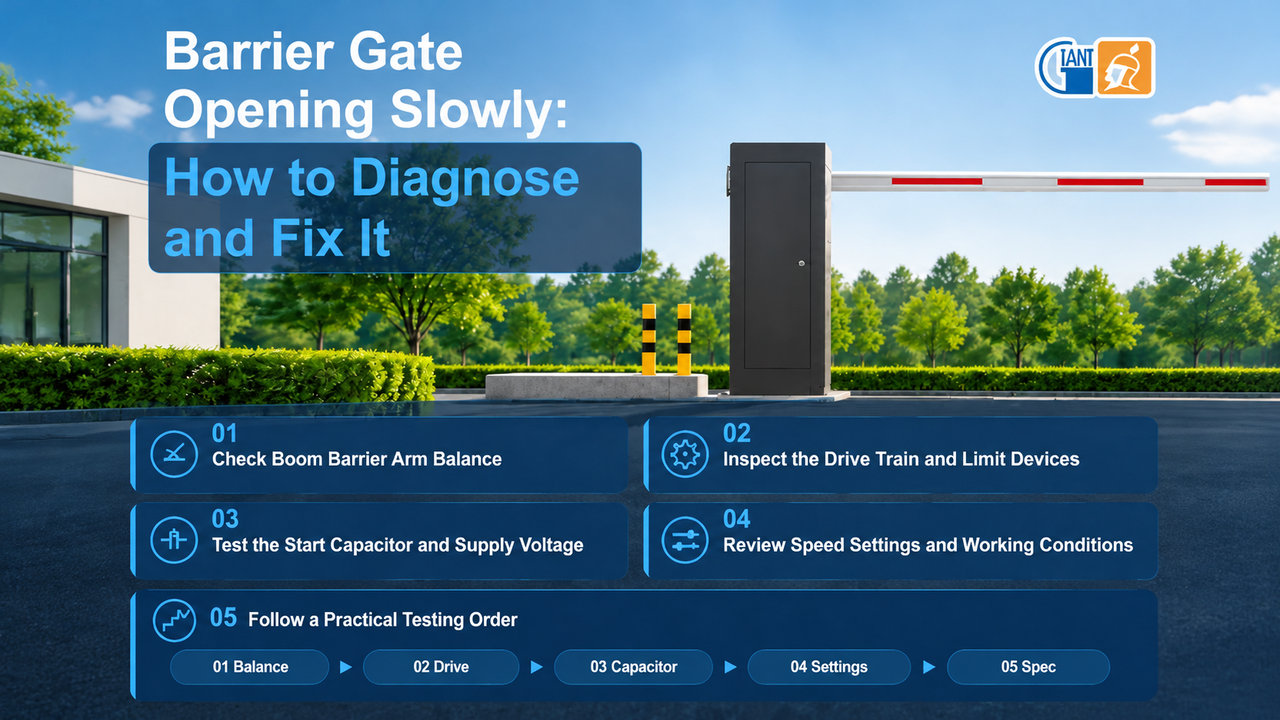
A barrier gate that has become slow to open rarely fails for a single reason. Mechanical resistance, aging electrical components, and changed control settings each reduce speed. Confirming the cause before replacing parts avoids a stoppage.
Here are five checks in order of likelihood, then the selection choices that prevent repeat slowdowns.
1. Check Boom Barrier Arm Balance
As spring tension fades, the motor has to lift the arm as well as turn it, which slows opening and heats the motor. On spring-assisted models, boom barrier arm balance is confirmed by a simple test: with the power off and the clutch released, move the arm to around 45 degrees and release it. An arm that falls needs more tension; one that rises quickly needs less. Re-balance after any change to arm length.
2. Inspect the Drive Train and Limit Devices
Friction elsewhere has the same effect. Dry linkages, worn bearings, a slack belt, or an arm bent by impact each add resistance to every cycle. Clean the moving parts, grease them, and replace worn components. Metal filings or a shifted limit sensor may also send a slowing signal early, so the gate decelerates before the end of its stroke.
3. Test the Start Capacitor and Supply Voltage
Electrical causes are common on AC motors after two or three years. A weakened start capacitor produces a hum at start-up with slow opening. After the capacitor has discharged, measure its capacitance and replace it at the same rating if the value has fallen. Long or undersized cables and oxidised terminals can read normally at no load yet fall under load, so measure the terminal voltage while the gate runs.
4. Review Speed Settings and Working Conditions
Check the barrier gate speed adjustment before replacing parts: a reduced value, an over-wide soft-stop window, or lost limit data each lengthen every cycle. Restore the times from the manual and repeat limit learning where the controller supports it. Grease stiffens at low temperatures, so a low-temperature grade restores speed, while slower cycles after heavy traffic are thermal protection: let the unit cool and check ventilation. A clutch left partly released after manual operation lets the motor turn while the drive slips.
5. Follow a Practical Testing Order
Many slow-operation problems begin with the specification. Springs fatigue under frequent cycles, long arms overload narrow lanes, and a straight car park barrier arm collides with a low ceiling. An automatic barrier gate matched to the lane, the arm length and the traffic keeps its speed without constant attention.
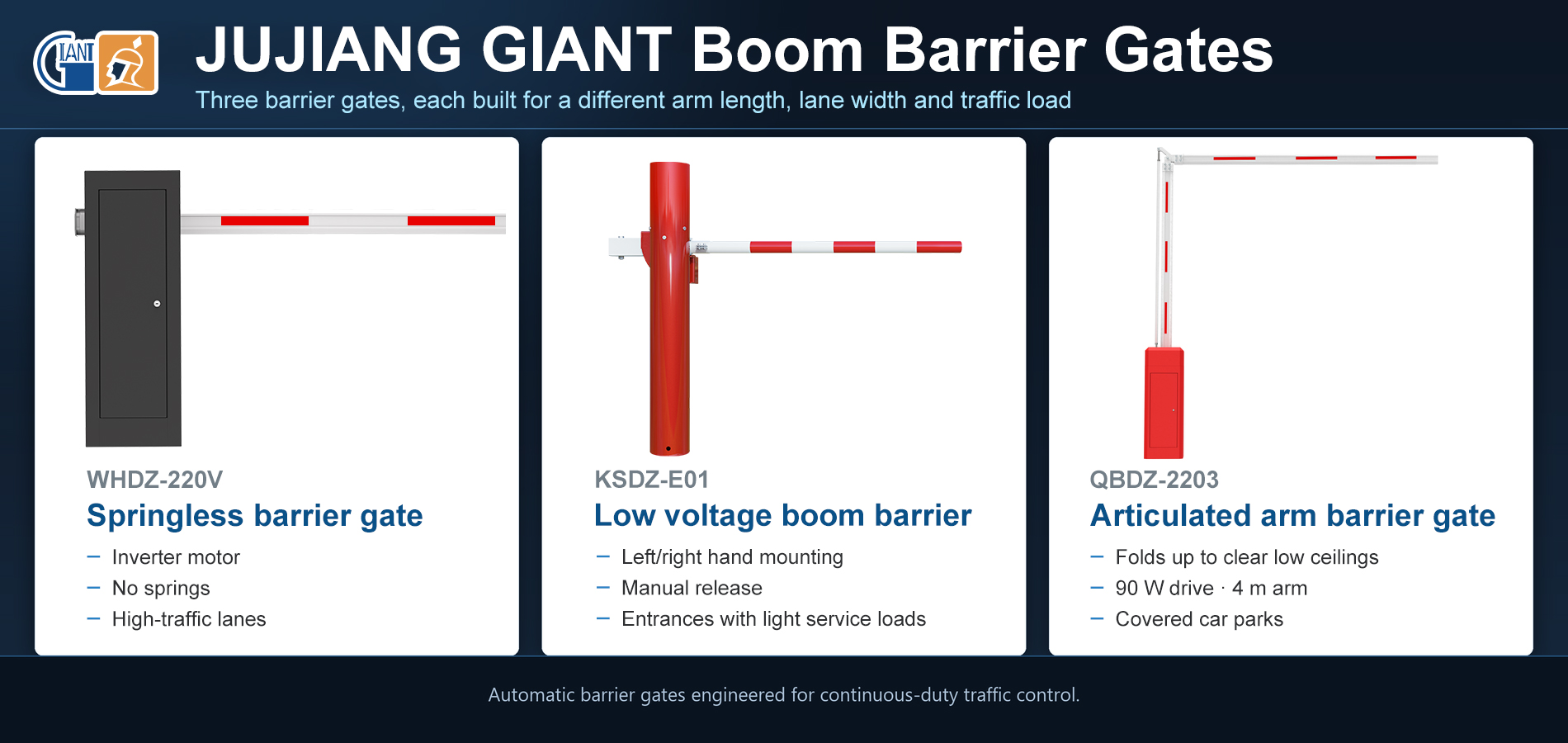
WHDZ-220V spring-free barrier gate: torque control on a variable-frequency motor replaces spring tension, which removes the most common source of weak lifting, while gradual acceleration and deceleration reduce shock on longer arms.
KSDZ-E01 low voltage boom barrier: 12 V DC system with left- or right-hand mounting, manual release and battery backup, intended for entrances that are commissioned quickly and serviced infrequently.
QBDZ-2203 articulated arm barrier gate: the arm folds upward to clear the structure above, which suits covered car parks where headroom is restricted. A 90 W motor moves a 4 m arm in about 6 seconds.
Conclusion
Slow operation is usually the accumulation of small changes in spring tension, lubrication, capacitor condition and controller settings, and most cases are resolved on site when the checks follow this order. When a unit slows repeatedly, or when the type never matched the arm length, lane width and traffic it carries, a correctly specified boom barrier gate costs less than continued repair.
 37 Sunshine Road, Photoelectric Information Industrial Park, Nan'an, Fujian, China
© Copyright: 2022 Giant Alarm System Co.,Ltd All Rights Reserved.

IPv6 network supported


