
 English
 简体中文
简体中文  繁体中文
繁体中文 
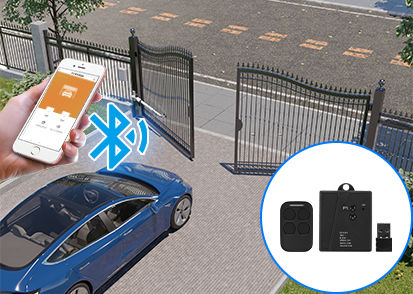


Troubleshooting: Sliding Gate Opener Unresponsive to Remote at End Positions
Troubleshooting: Sliding Gate Opener Unresponsive to Remote at End Positions
Many users of sliding gate openers encounter a peculiar issue: the gate responds to remote commands while in motion, but once it reaches either end, the remote no longer works. The motor may still run, but the gate seems unresponsive, causing frustration.
JUJIANG GIANT provides this guide to help you understand the causes and solutions.
This issue usually falls under “no limit” or “dual limit” faults, where the control system cannot correctly detect whether the gate has reached its end positions, blocking remote commands after arrival.
Step-by-Step Troubleshooting
1. Check Limit Switch Wiring
Loose, poor contact, or incorrectly connected limit switch wires are the most common issues. Open the control box and ensure that the limit switch (magnetic reed switch or mechanical limit switch) is securely connected to the corresponding “Limit Input” on the control board. Clean or reconnect any oxidized or loose terminals.
2. Observe Limit Indicator Lights
JUJIANG GIANT control boards feature intuitive limit status LEDs:
Open limit triggered → Blue light
Close limit triggered → Red light
When the gate reaches its end positions, verify that the corresponding LED illuminates correctly.
If the gate is at the end but the LED is off → The limit signal is not reaching the mainboard, indicating a problem with the limit switch or its placement.
If the LED color is reversed (e.g., blue light during closing) → The open and close limit switches are swapped. Simply exchange the signal wires.
3. Magnetic Limit Checks
For magnetic limit switches (magnet + reed switch), ensure:
Magnet height: The magnet must align with the reed switch sensing point. Maintain a 2–3 mm gap for proper detection.
Magnet orientation: Ensure the magnet's polarity or marked face aligns with the switch. Incorrect orientation (horizontal vs. vertical, N/S reversed) prevents proper triggering.
Test by bringing the magnet close to the switch while observing LED changes to distinguish between magnet or switch issues.
4. Mechanical Limit Checks
For mechanical limits (micro switch + stopper/spring):
Bracket positioning: Ensure proper alignment; too far prevents activation, too close may trigger early or jam.
Mechanical interference: Check that the spring or stopper does not collide with the casing, rack, gears, or other moving parts. Manually move the gate to observe smooth operation and flexible return of the micro switch.
LED indicators can verify correct triggering.
5. Confirm Limit Accessories Are Installed
Occasionally, installations miss essential limit components, such as magnets or stoppers. Without them, the motor cannot receive a limit signal, so the control board assumes the gate is still in motion, making remote commands unresponsive at end positions. Always ensure that all limit accessories are correctly installed, especially after initial installation or rack replacement.
Summary
For sliding gates that are controllable mid-travel but unresponsive at end positions, follow this inspection order:
Check wiring: Ensure limit signal wires are connected.
Check LEDs: Blue for opening, red for closing; swap wires if colors are reversed.
Check type: For magnetic limits, verify magnet position and orientation; for mechanical limits, inspect distance and interference.
Check for missing parts: Confirm all limit components are installed.
If the problem persists after completing these steps, contact the JUJIANG GIANT technical support team. We are committed to precise, reliable limit control for every sliding gate, ensuring safe and worry-free operation.
JUJIANG GIANT — Intelligent Gate Control, Precision in Every Step.
 37 Sunshine Road, Photoelectric Information Industrial Park, Nan'an, Fujian, China
© Copyright: 2022 Giant Alarm System Co.,Ltd All Rights Reserved.

IPv6 network supported


